Your verified record
Give anyone a link or QR code to the facts companies recorded about your completed placements, and take it back.
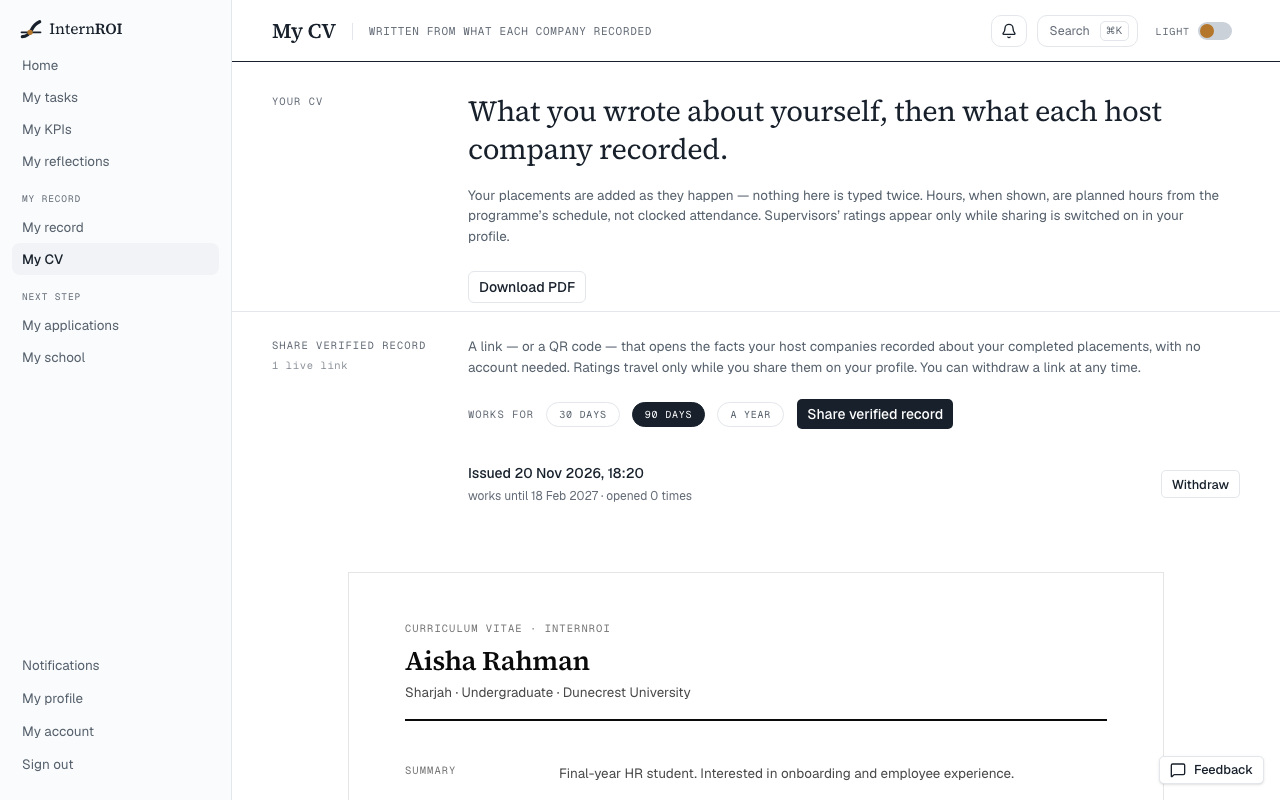
Your verified record is a page that anyone can open from a link or a QR code, with no account. It shows what your host companies recorded about your completed placements — nothing you wrote yourself — which is why a reader can believe it. You issue links from My CV, choose how long each works, and can withdraw any of them at any time.
Issue a link
- Choose My CV in the menu, and find Share verified record.
- Under Works for, choose 30 days, 90 days or a year. It starts at 90 days.
- Choose Share verified record.
- Your link appears under Your link — shown once, with its QR code. Choose Copy link — it reads Copied — or Open to see the page as a reader will.
Anyone who scans the QR code opens the same record.
What the reader sees
- Above the record, Shared by and your name, and the day the link stops working.
- Your name, and how many completed placements you have.
- For each completed placement: the company, the programme and department, Dates, Accepted work and Status.
Only placements a company has marked complete appear — a placement you are still on does not. The record never shows your email address, date of birth or guardian, and it shows no hours. A reader can choose Print or save as PDF.
The record is live: it shows what is true when it is opened, not when you issued the link.
With ratings shared
While Share my supervisors’ ratings and endorsements on my CV and record is on (on My profile), each completed placement can also show:
- Supervisors’ rating — their average score.
- Would work with them again — each supervisor’s answer, under their name.
- Endorsed by — each supervisor by name, with the skills from your profile they saw at work.
- School — the school you linked to on InternROI, when it confirmed you before that placement ended and you are still linked to it.
- Certificate of completion — a link to a certificate for that placement.
With two or more rated placements, Ratings across placements shows each one’s average, oldest first.
Switch sharing off and all of this leaves every link at once, and the certificates stop opening.
The certificate of completion
One landscape A4 page for one completed placement: your name, the programme, the company, your school when the record shows one, the dates, and your endorsements. It carries the record’s own QR code under Check this certificate, so anyone holding the paper can open the live record. It names the company and the school; it has no logos. The reader chooses Print or save as PDF.
See and withdraw your links
Share verified record lists every link you have issued: when it was issued, until when it works, and how many times it was opened. Links that have ended read Expired or Withdrawn.
- Choose Withdraw beside the link.
- Choose Withdraw link, or Keep to leave it.
It stops working at once. If your profile loses its date of birth, you can’t issue new links, but those already out keep working until they expire or you withdraw them.
What someone with a dead link sees
- This link has expired — they ask you for a new one.
- This link was withdrawn by its owner — you withdrew it.
- This link is not valid — the link is wrong, perhaps mistyped.
Messages you might see
- Add your date of birth on My profile before sharing your record — your profile needs a date of birth, and a guardian if you are under 18. See Your profile and your school.
- Could not issue the link. Please try again.
- Could not withdraw the link. Please try again.
- Could not copy — select the link above and copy it by hand.
How a placement is marked complete, and how supervisors endorse skills: Finish a placement.