Weekly reflections
Write a few lines each week about what you did and learnt, and a final report at the end of your placement.
Once a week you write a short entry about your work: what you did, and what you learnt. At the end of your placement you write a final report. Your supervisor and your company’s admins read them, and a school you have linked counts the weeks you wrote. Choose My reflections in the menu — it is there while you are on a programme.
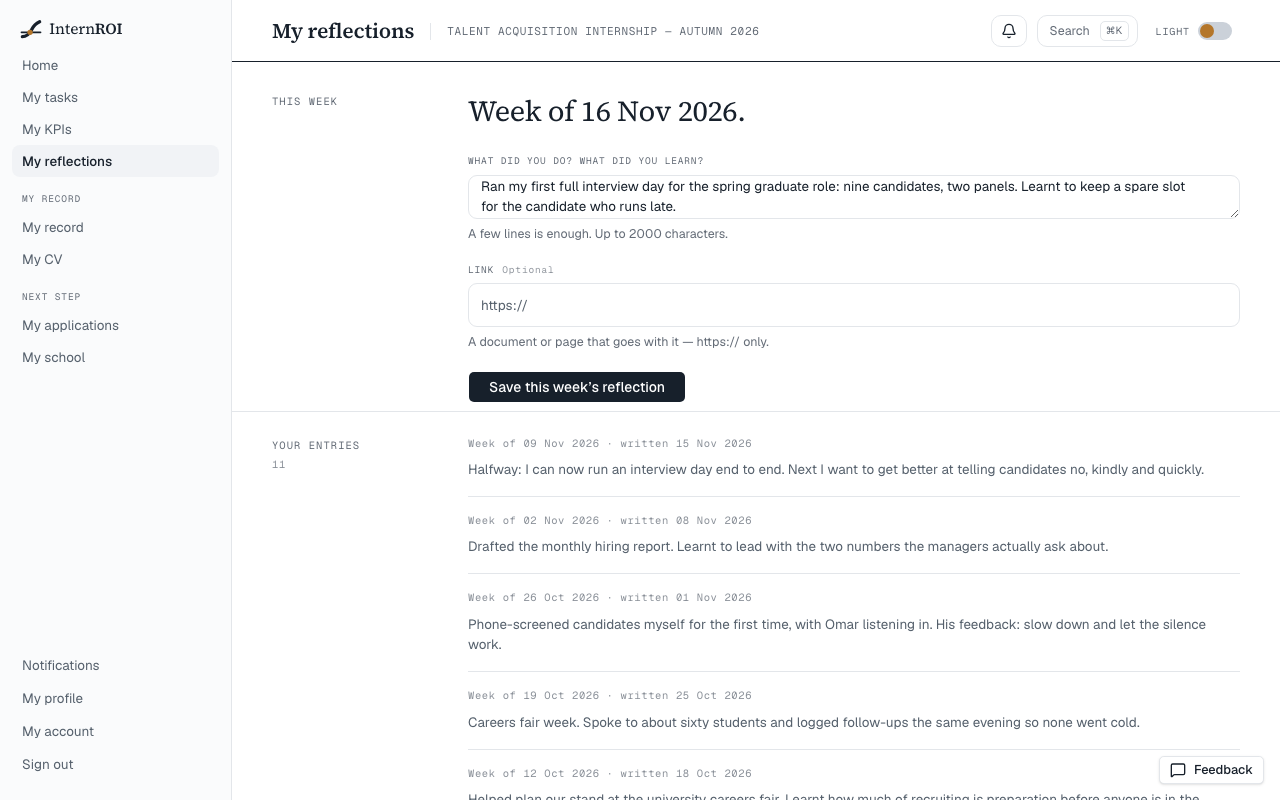
Write this week’s reflection
- Choose My reflections. Your weeks shows every week of your placement: the ones you wrote, the ones you did not, the ones your supervisor checked in, and this week.
- Under This week, write a few lines in Your reflection — up to 2000 characters. Start from adds What I finished, What got in the way or What I will try next to the box to start a line. Your supervisor’s last focus for you sits beside the box.
- To add a document or page that goes with it, paste its address in Link. It must start with https://.
- Choose Save this week’s reflection, then Save it as written — or Keep writing to go back.
The box now reads You’ve written this week’s reflection. The next box opens on Monday.
Weeks run Monday to Sunday, UAE time. You write one entry a week, for the week you are in — not for a week that has passed, and not ahead.
The Thursday reminder
If your entry isn’t in by Thursday, you are told from 08:00 UAE time — This week’s reflection is waiting, in the app and by email. It comes once that week, only while your programme is running, and not at all once you have written. It has no switch on My account.
Your final report
The final report opens in the last seven days of your placement, or once it is over — including when the company ends it early.
- On My reflections, find Final report.
- Write it under Your final report — up to 2000 characters — or leave that empty and add a Link to a document.
- Choose Submit final report, then Submit it as written. The report then shows under Final report.
There is one final report per placement, and it can’t be changed once it is in.
Your entries, and your supervisor’s
Your entries shows each week so far, newest first, in two voices: what you wrote under You, and beside it your supervisor’s check-in for the same week — What went well, What to improve and One focus for next week. A week you did not write says so. How supervisors write check-ins: Weekly check-ins.
Who reads them
- Who reads this names them: your supervisor and your company’s admins read every word.
- A school you have linked counts the weeks you have written towards its requirements — not the words. See Your profile and your school.
Messages you might see
- Write a few lines about your week — the box is empty.
- Write a few lines or add a link — your final report needs one or the other.
- A link starts with https://
- Keep it under 2000 characters
- You’ve written this week’s reflection — the next box opens on Monday.
- Your final report is already in
- The final report opens in your placement’s last week
- Could not save the reflection. Please try again.