Write your weekly check-ins
Three questions about each intern, once a week: when they are due, where to answer, and who is told when a week is missed.
Once a week, a supervisor answers three questions about each intern they supervise: what went well, what to improve, and one focus for next week. It takes a couple of minutes, and the intern reads your answers — short, regular feedback beside your reviews of their work. Only supervisors write check-ins, and only for their own interns. An intern with two supervisors has one check-in a week, not two: whichever of you writes it first covers that week.
Who you check in with
The Weekly check-in band on My interns lists each of your interns whose placement is running: the intern has accepted their invitation, the programme is running and has started, and no outcome — Completed, Withdrew or Ended early — has been recorded for them. Anyone else has no week to check in on and is not listed. The band’s heading counts where you are this week — for example, “2 of 3 this week”.
Write a check-in
- Choose My interns in the menu and go to the Weekly check-in band.
- Find the intern. Not yet this week beside their name means this week’s check-in is still to write.
- Choose Check in. If you have checked in with them before, your last check-in is shown first, under Last check-in, week of and its date, so you can see the focus you agreed.
- Answer What went well? and What to improve?, up to 1,000 characters each, and One focus for next week, up to 300.
- Choose Save this week’s check-in. You will see Saved. Your intern can read it now.
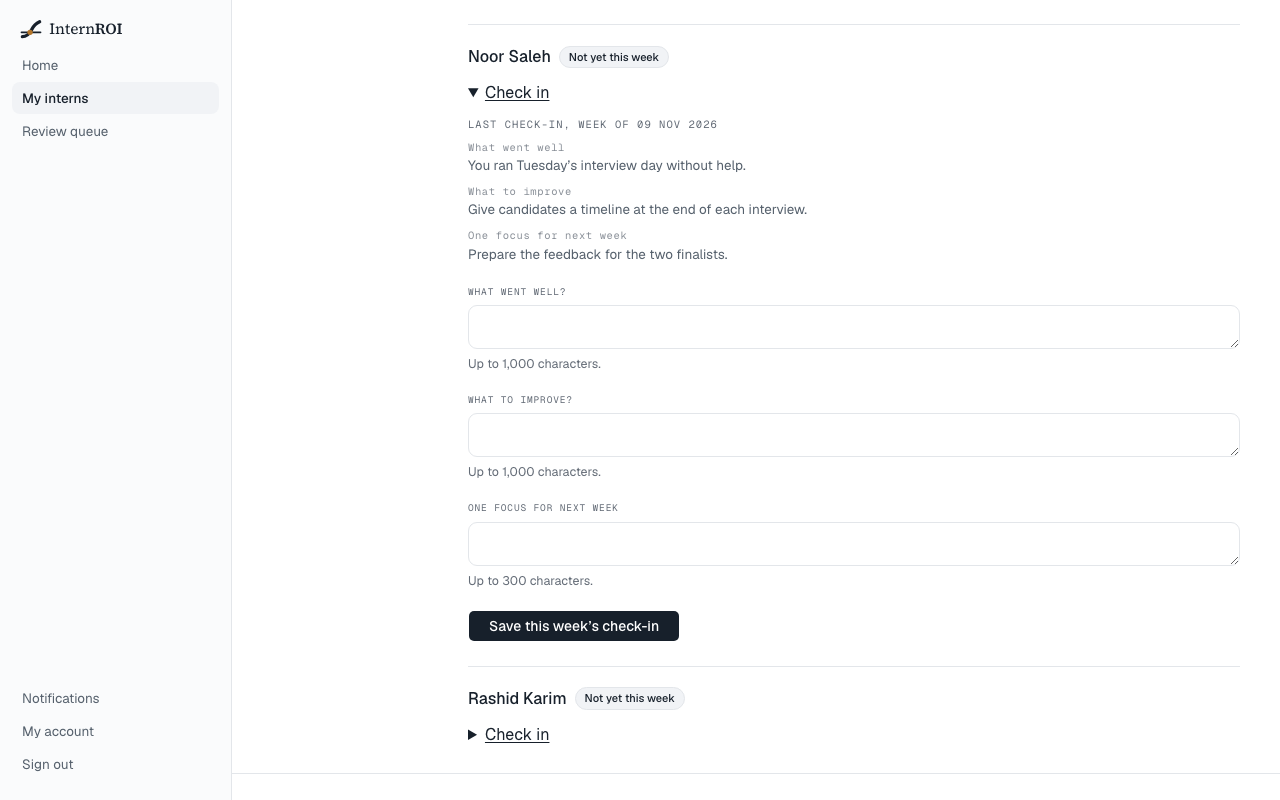
The intern’s row then shows Checked in this week, with your three answers.
When a check-in is due
- A week runs from Monday to Sunday, UAE time. A check-in is always for the current week: you cannot write one for a week that has passed, or ahead for next week.
- Each intern has one check-in a week. Once it is in, the form is not offered again until the next Monday.
When a week is missed
On Monday from 08:00 UAE time, the week that has just ended is checked for each intern.
- Each week without a check-in: you get a notification, in the app and by email — for example, Last week’s check-in with Ahmed Hassan is missing. Choose it to go to My interns.
- Two weeks in a row: your company’s admins are told as well — Ahmed Hassan has had no check-in for two weeks. They hear once for each run of missed weeks, not every week after. The notice opens the intern’s check-ins.
A missed week cannot be made up later. Write this week’s check-in, and the run of missed weeks ends.
Only full weeks of a placement count. The week it starts and the week it ends are not counted unless the placement covers them from Monday to Friday. Its start is the latest of the programme’s start date, the day the programme was launched, and the day the intern joined.
What your intern sees
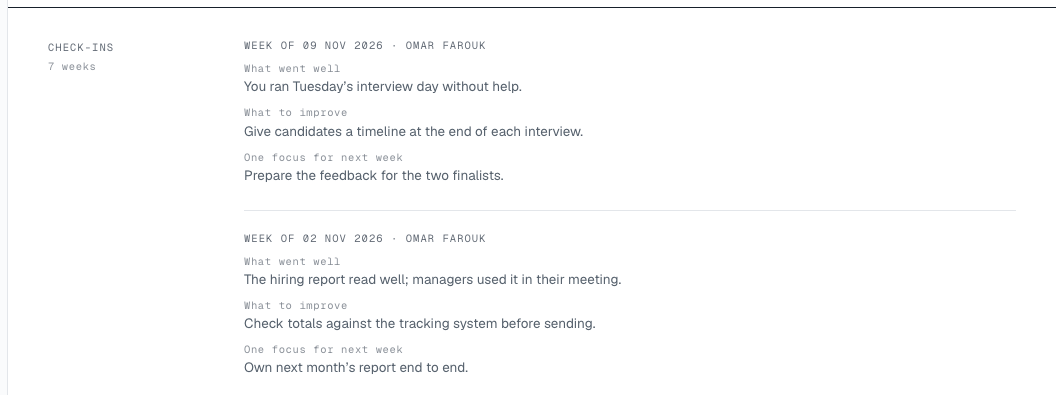
Your intern reads your check-ins on their My reflections screen, under From your supervisor: newest first, each with its week and your name. Your company’s admins can read them too: on the programme’s Roster, choosing an intern’s name opens their check-ins, read-only. Check-ins never reach the intern’s school, their CV or their verified record.
Messages you might see
- This week’s check-in is already in. — a check-in for this intern has already been saved this week.
- This placement is not running, so there is no check-in to write. — the programme has ended, or an outcome has been recorded for the intern, since you opened the page.
- That intern is not one of yours — the intern has been moved to another supervisor.
- Say what went well, Say what to improve or Name one focus for next week — that answer is empty. All three questions need an answer.
Next: The halfway check.