Remove someone from a programme
Take an intern or supervisor off a programme, and what happens to their work.
- Open the programme’s Interns or Supervisors screen.
- Choose ✕ (1) at the end of the person’s row (Remove from this programme).
- A question appears above the table — for an intern, for example, Remove Ahmed Hassan? Their submitted work and reviews are kept. Choose Yes, remove (2), or Cancel to keep them.
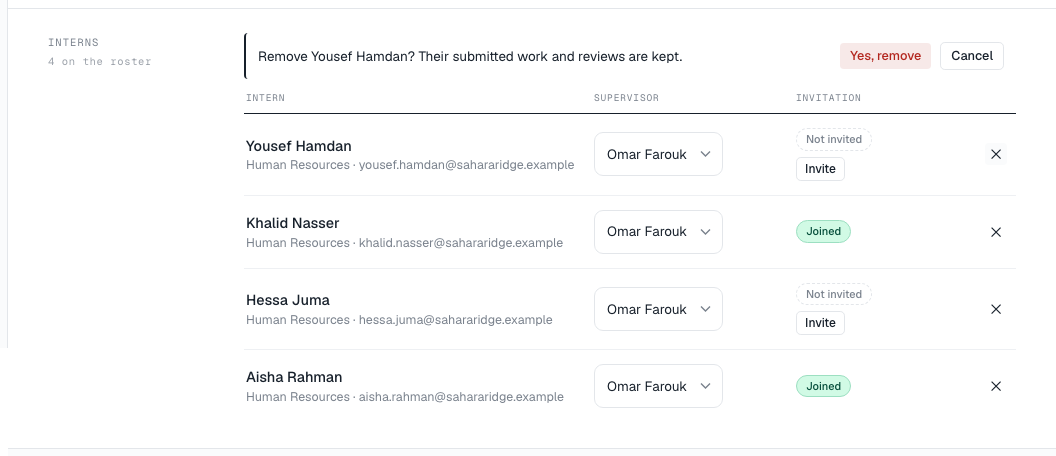
For a supervisor the question says how many interns will need a new supervisor, for example Their 3 interns will need a new supervisor.
What happens to their record
- If the person was never invited and nothing has been recorded against them, they are deleted from the roster.
- Otherwise they are kept as inactive: they disappear from the roster, but their history — tasks, submissions, reviews and KPI measurements — is preserved.
- Removing a supervisor leaves their interns Unassigned. Assign them to someone else.
A finished programme’s roster is closed, and people can no longer be added or removed.