Sign in and reset your password
Signing in, forgotten passwords, and the messages you might see.
Sign in
Go to Sign in, enter your Work email and Password, and choose Sign In (1).
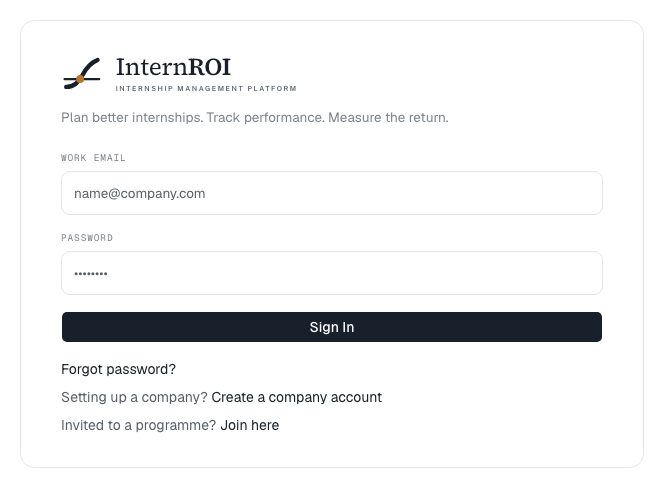
There is one sign-in for everyone — admins, supervisors and interns. Below the form are the two ways to get an account:
- Setting up a company? Create a company account — for the person creating their company’s account. See Create your account and company.
- Invited to a programme? Join here (3) — for supervisors and interns. See Join a programme you were invited to.
Forgotten your password?
- On the sign-in screen, choose Forgot password? (2)
- Enter your Work email and choose Send reset link.
- Open the link in the email. Enter a New password, confirm it, and choose Set new password. You are signed in straight away.
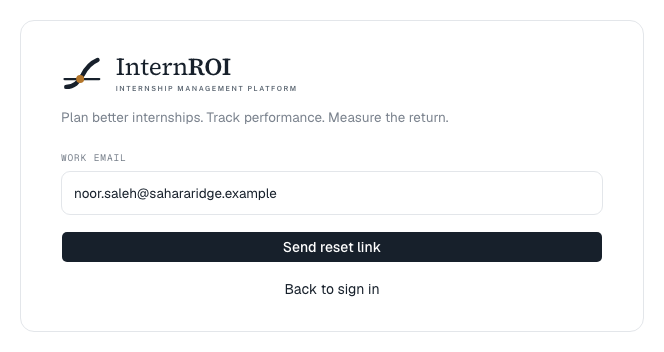
For your privacy, the reply is always If an account exists for that email, a reset link is on its way. — whether or not the address has an account. If nothing arrives, check your spam folder, and check you used the address your invitation was sent to.
Messages you might see
- Email or password is incorrect. — for your security, it never says which.
- Too many sign-in attempts. Try again in … — after several failed attempts, signing in pauses for a short while, and the message says how long. Wait, then try again, or reset your password. Too many attempts. Try again in a few minutes. means the same.
- We couldn't sign you in — that's a fault on our side. — nothing is wrong with your details. Try again in a few minutes, and tell us if it keeps happening.
- That link has expired or was already used. — request a new link. If it was a confirmation link, your address is usually already confirmed, so try signing in.
- This reset link has expired. — request a new one.