End, archive or delete a programme
Finish a programme, move it out of the way, or remove it.
These are under Programme controls at the bottom of the programme’s page. Each asks you to confirm.
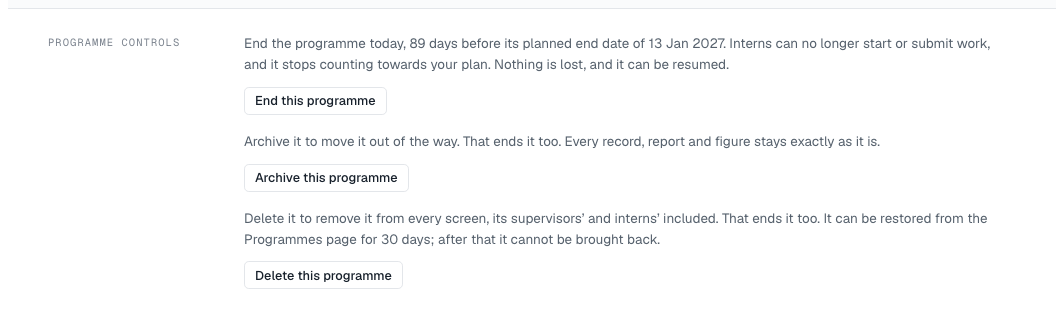
The planned end date does not end a programme on its own. An admin ends it.
End
End this programme (1), then Yes, end it today. You can end on any day, including before the planned end date — the programme then shows as Ended early.
Interns can no longer start or submit work, and the programme stops counting towards your plan. Nothing is lost. To reopen it, choose Resume this programme.
Archive
Archive this programme (2) moves it out of your list — and ends it, if it was running. Every record, report and figure stays exactly as it is. Find it under Archived on All programmes, and choose Bring it back to restore it as an ended programme.
Delete
Delete this programme (3) removes it from every screen, including its supervisors’ and interns’. It can be restored from Recently deleted on All programmes for 30 days — choose Restore. After that it cannot be brought back.
What stays
A finished programme’s reports stay readable, and its assessment records — submissions, reviews and KPI measurements — are never deleted.