Work through the review queue
How the queue is ordered, and what a resubmission is.
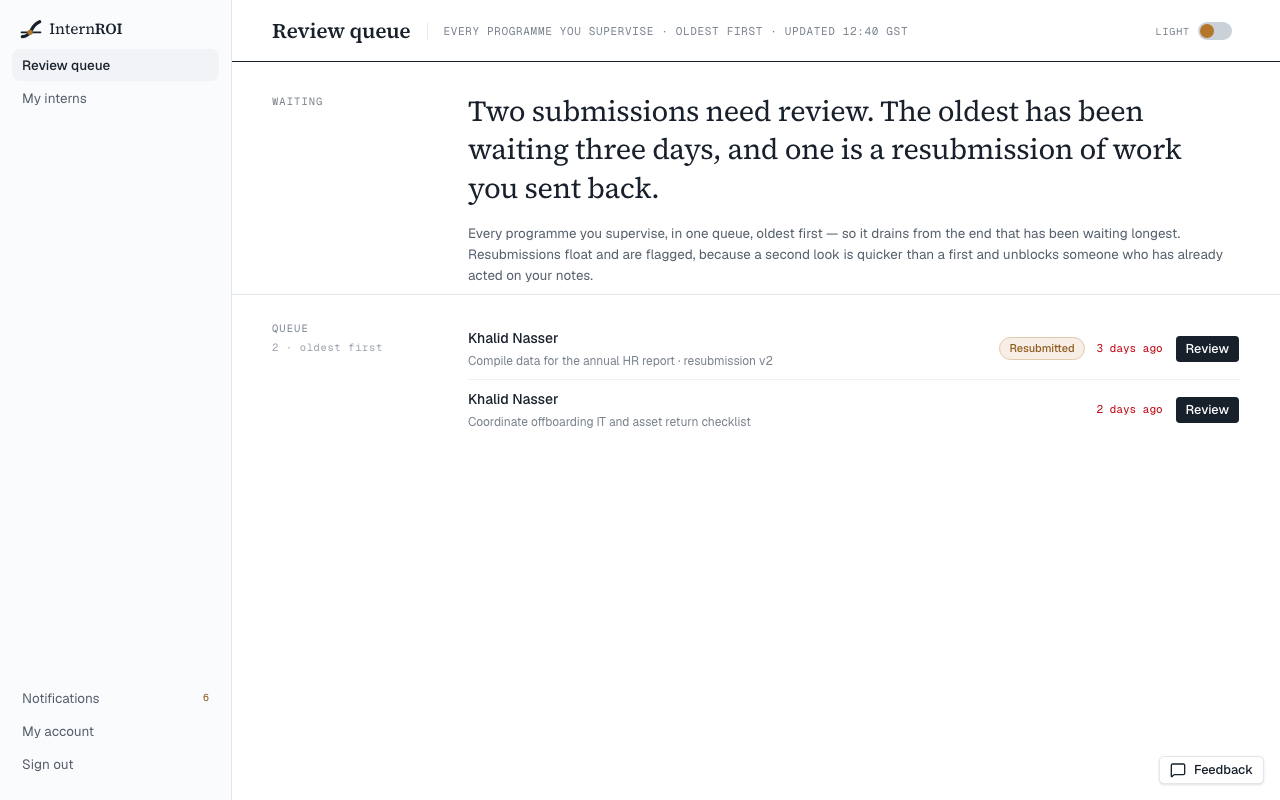
Choose Review queue in the menu. The queue holds every submission waiting for you, across every programme you supervise. You only ever see work from interns assigned to you.
How it is ordered
- Resubmissions come first, marked Resubmitted. These are pieces of work you sent back, now done again — a second look is quick, and the intern is waiting on it.
- Then oldest first, so the queue drains from the end that has waited longest. An item’s age turns red once it has waited two days.
Choose Review on any row to open it. See Accept work or request a re-do.
When the queue is empty you will see Nothing is waiting on you. Work you have already reviewed stays on each intern’s record.