When you are asked to re-do a task
Read your supervisor’s feedback and submit again.
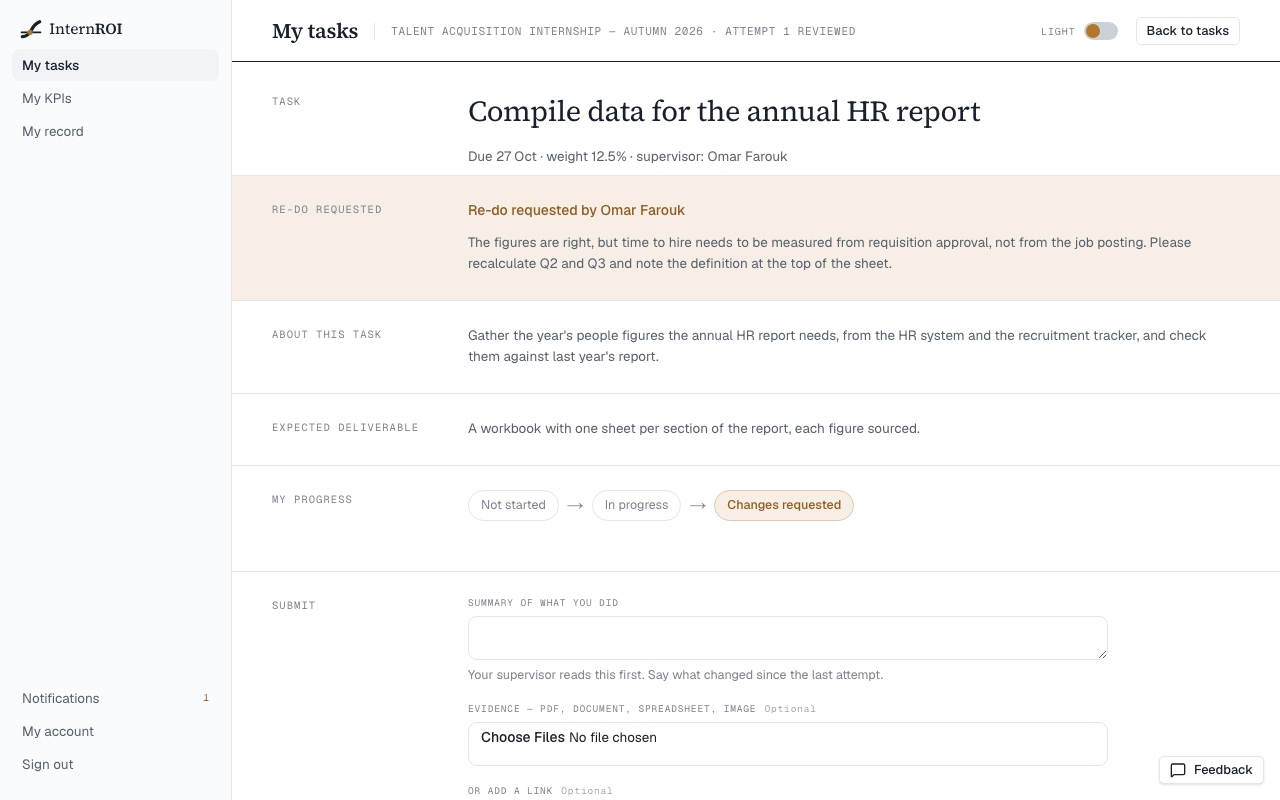
When your supervisor asks for changes, you get a notification and the task’s status changes to Re-do. Your dashboard’s Feedback tile counts it too.
- Open the task. A gold Re-do requested band shows your supervisor’s comment.
- Make the changes.
- Choose Submit again, and say in your summary what changed since your last attempt.
- Choose Submit for review.
Your new attempt goes to the top of your supervisor’s queue, marked as a resubmission. Your earlier attempts and their feedback stay in the task’s History. There is no limit on how many times you can submit.